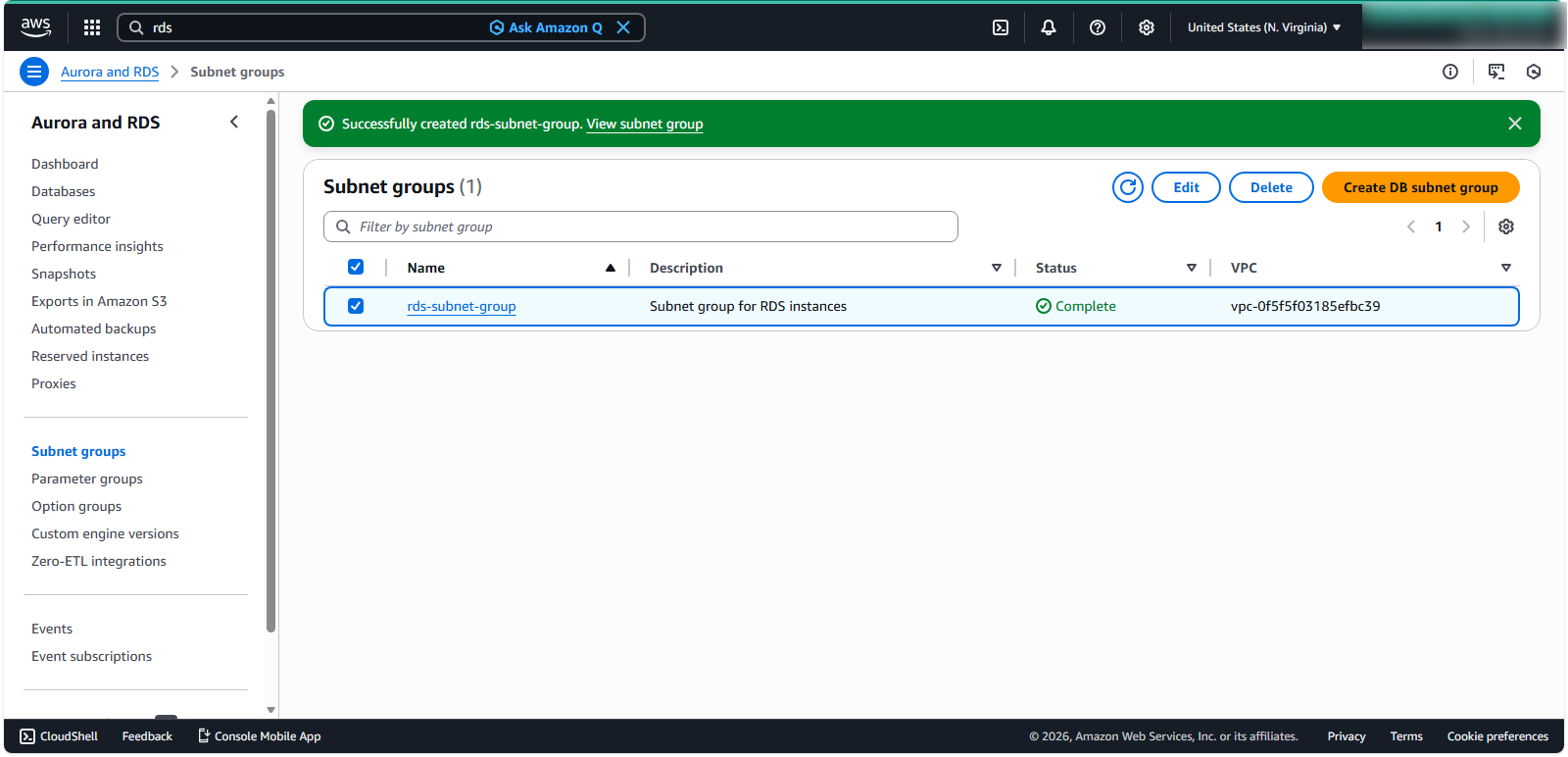
Create database subnet group
Creating a DB Subnet Group for Amazon RDS
ℹ️ Information: A DB subnet group is a collection of subnets that you designate for your Amazon RDS database instances within a VPC. DB subnet groups enable you to specify particular subnets and IP ranges where Amazon RDS can deploy database instances, ensuring proper network isolation and availability.
Follow these steps to create a DB subnet group:
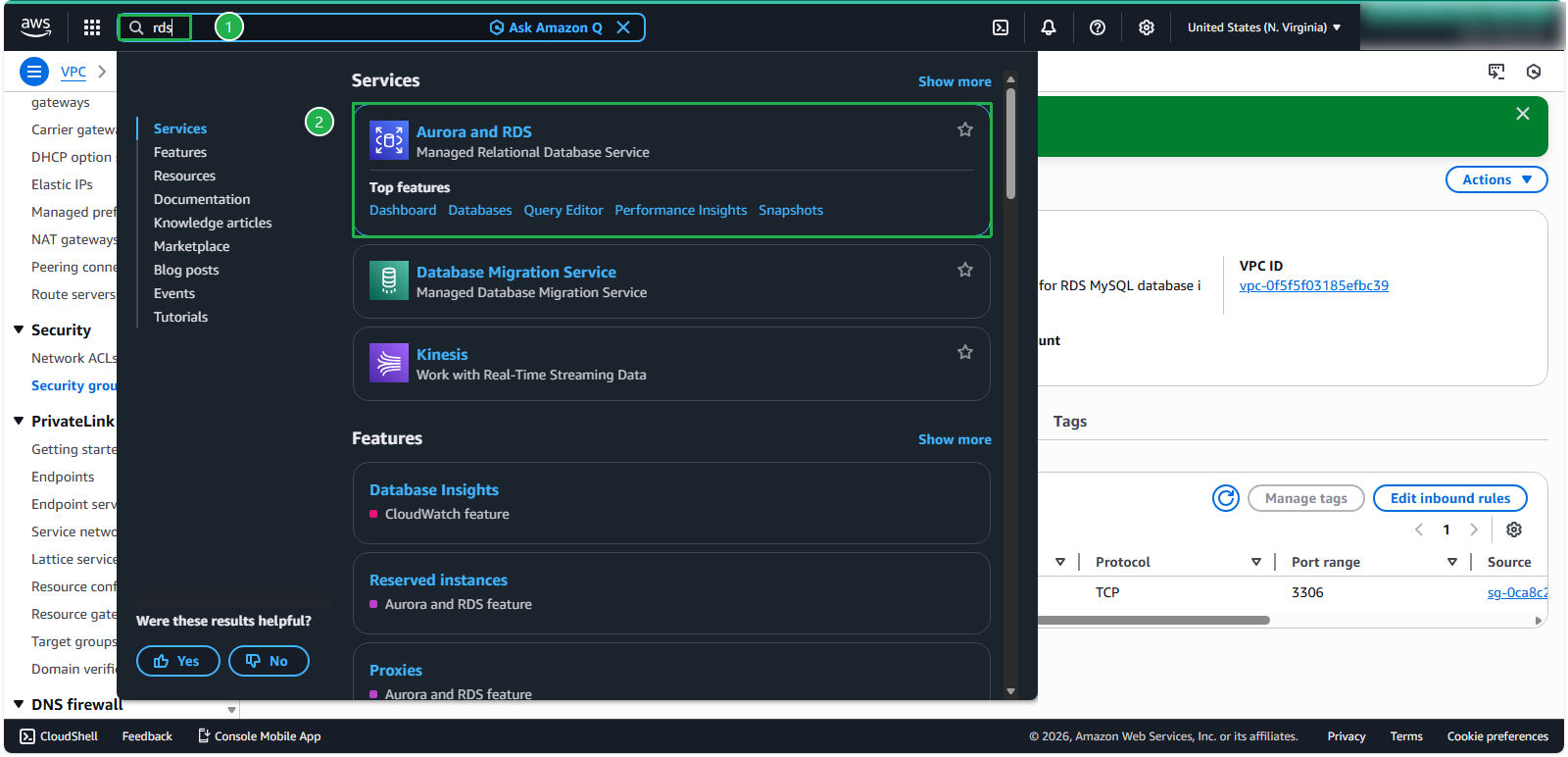
In the search bar, enter search for and select RDS under services.
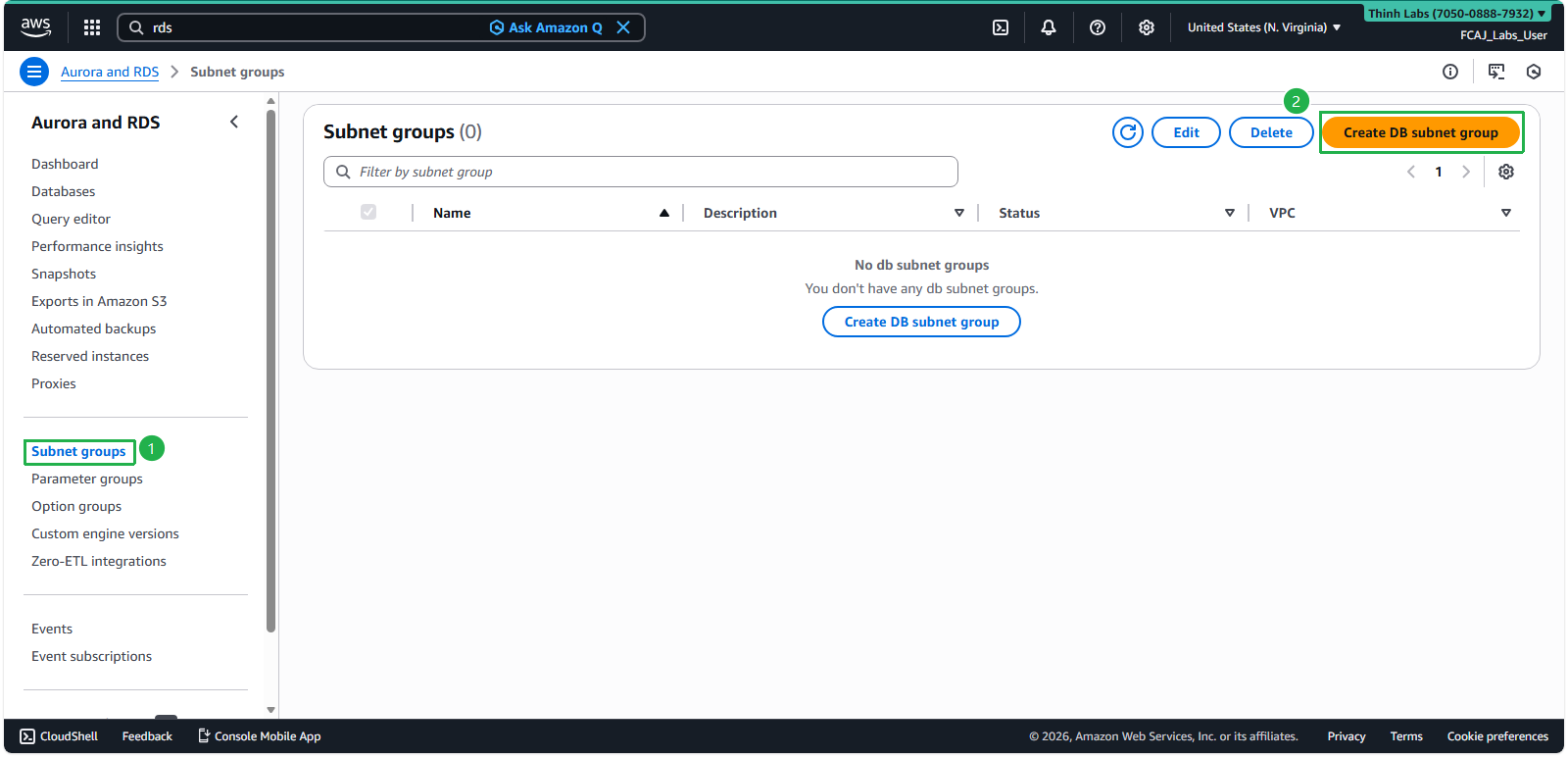
In the navigation pane, select Subnet groups. Click Create DB Subnet Group.
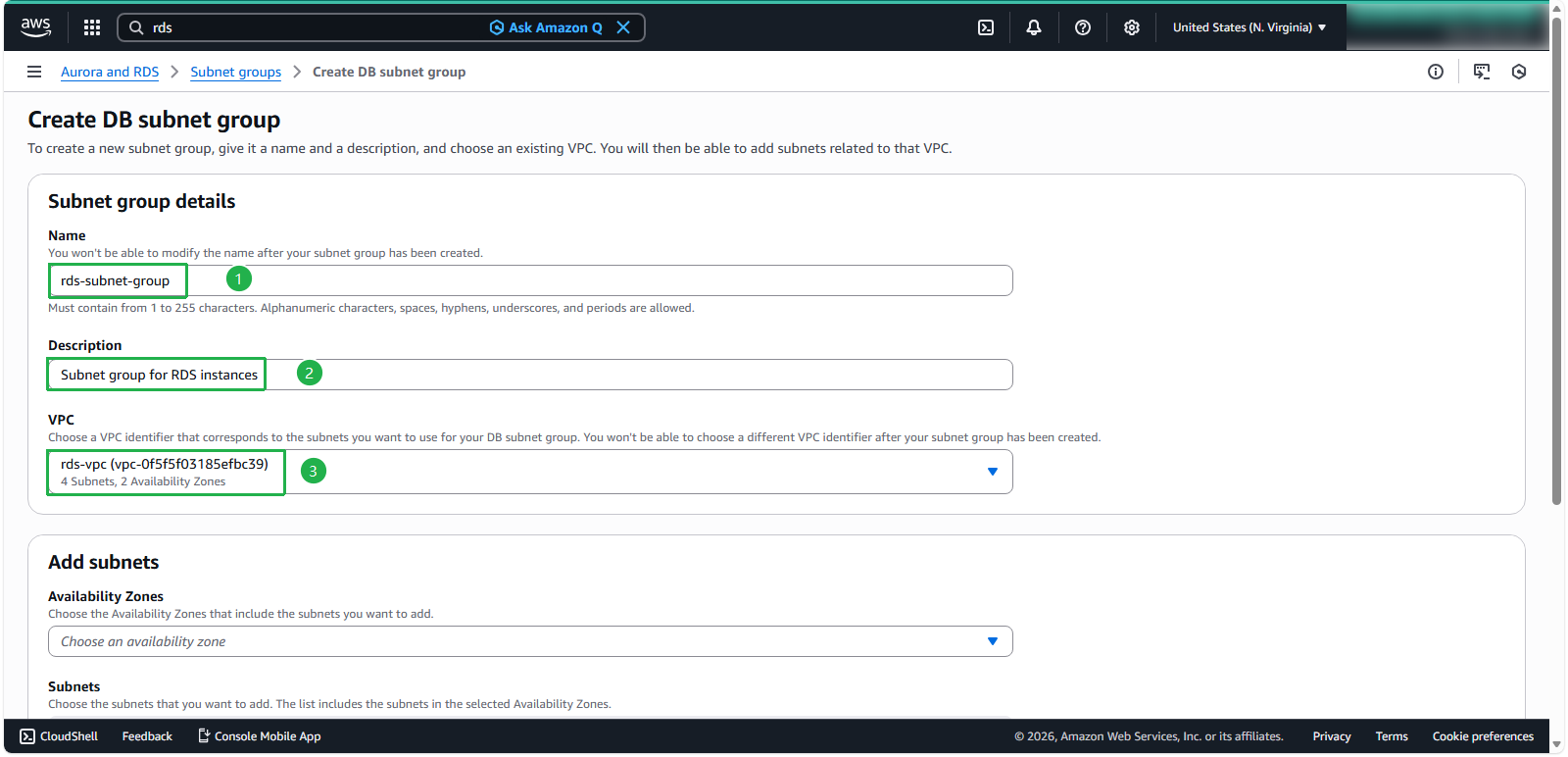
Configure the basic details:
- For Name, enter
rds-subnet-group - For Description
Subnet group for RDS instances - Select the VPC you created earlier from the dropdown menu
- For Name, enter
In the Add subnets section:
- Select at least two different Availability Zones to enable Multi-AZ deployments
- Choose the appropriate Subnets from each Availability Zone (typically private subnets for production databases)
- Click Create
🔒 Security Note: For enhanced security, place your RDS instances in private subnets that don’t have direct internet access.
⚠️ Warning: A DB subnet group must include subnets in at least two different Availability Zones to support Multi-AZ deployments. Without this configuration, you won’t be able to enable the Multi-AZ feature for your RDS instances.
💡 Pro Tip: If you’ve enabled AWS Local Zones in your account, you can also select an Availability Zone group on the Create DB Subnet Group page. In this case, select the Availability Zone group, the corresponding Availability Zones, and appropriate subnets.
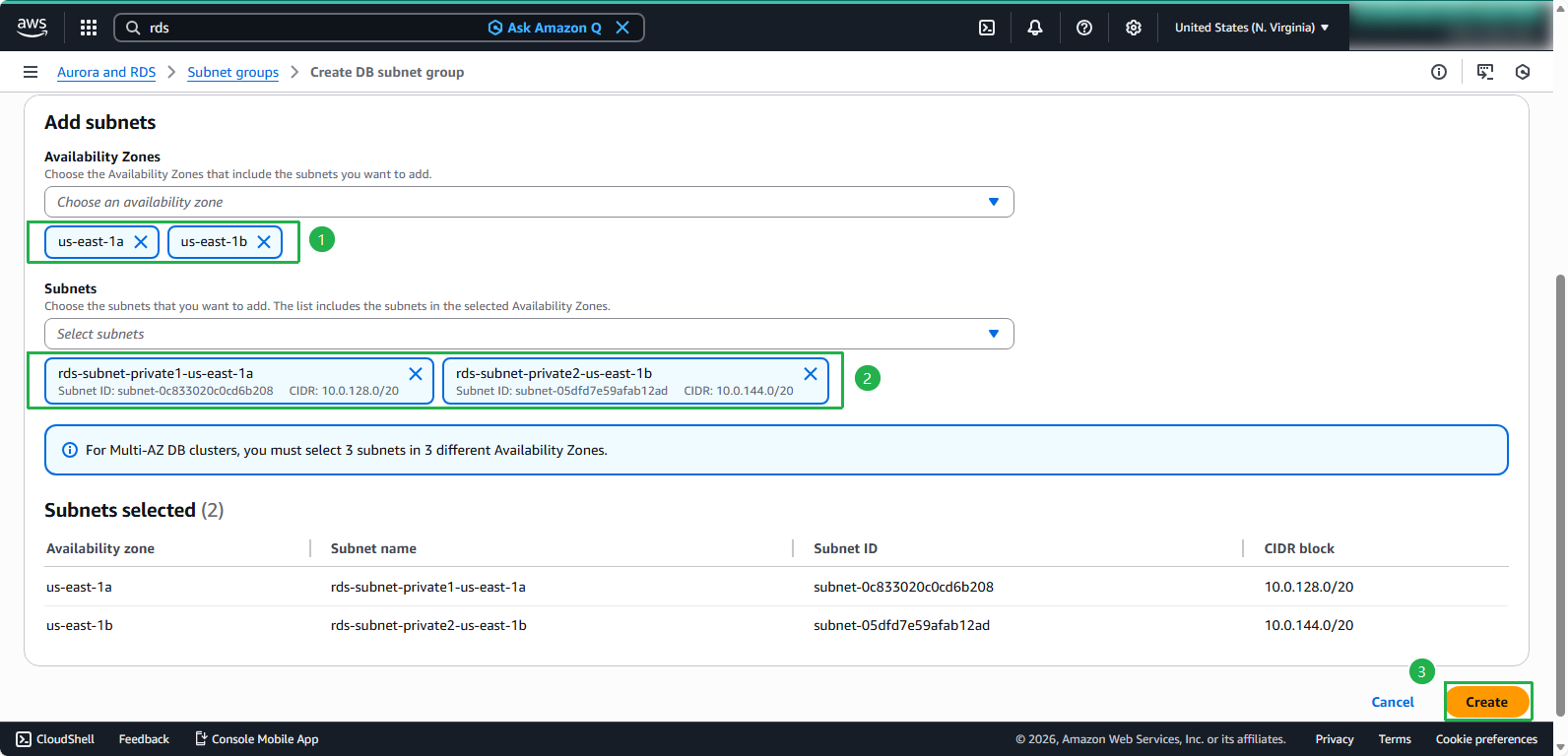 5. Verify successful subnet group creation: