Create Security group
Creating a Security Group for EC2 Instances
ℹ️ Information: Security groups act as virtual firewalls for your Amazon EC2 instances to control inbound and outbound traffic. For our RDS deployment, we need to create a security group for EC2 instances that will connect to our database.
Follow these steps to create a security group with the necessary ports:
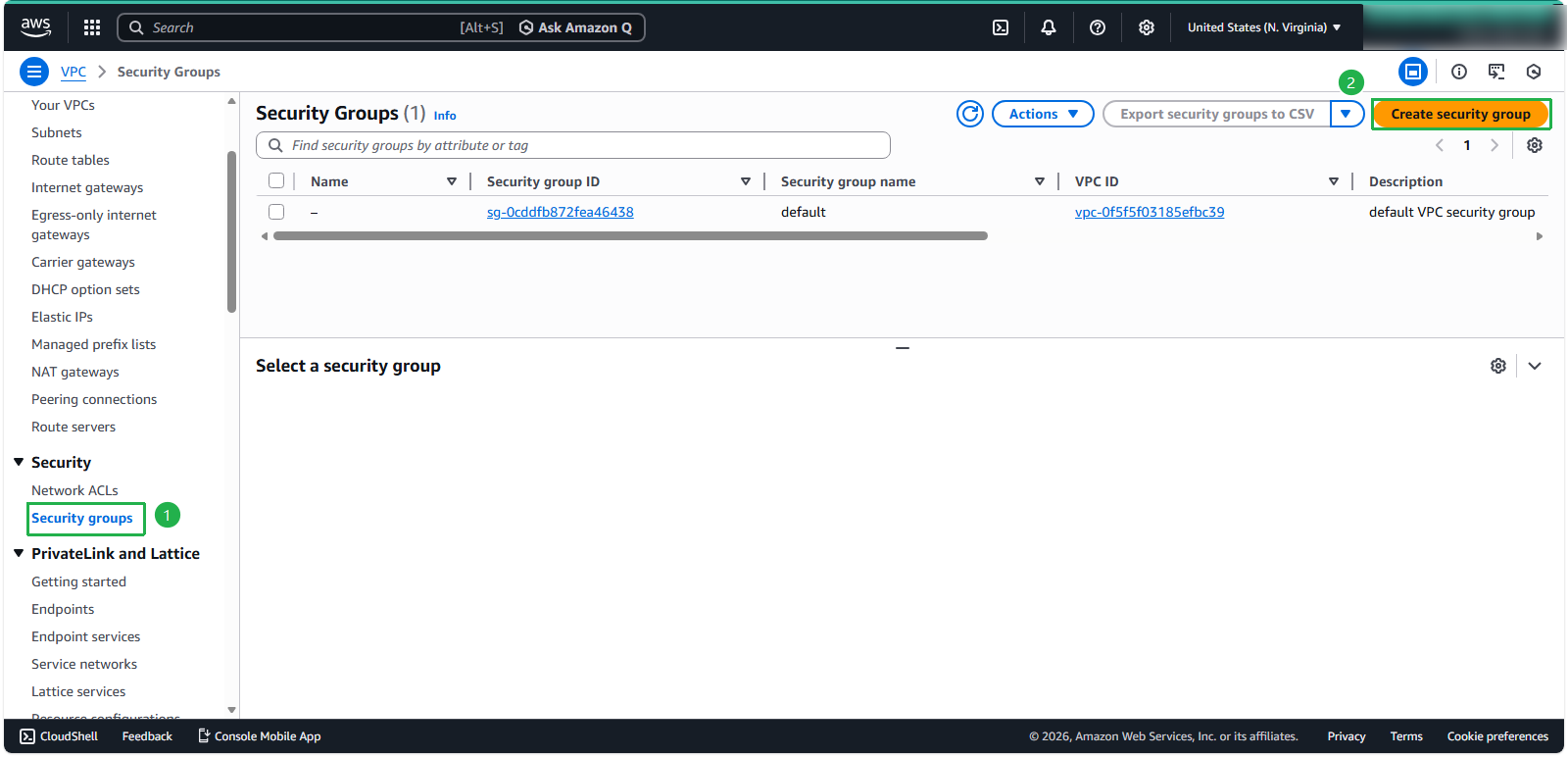
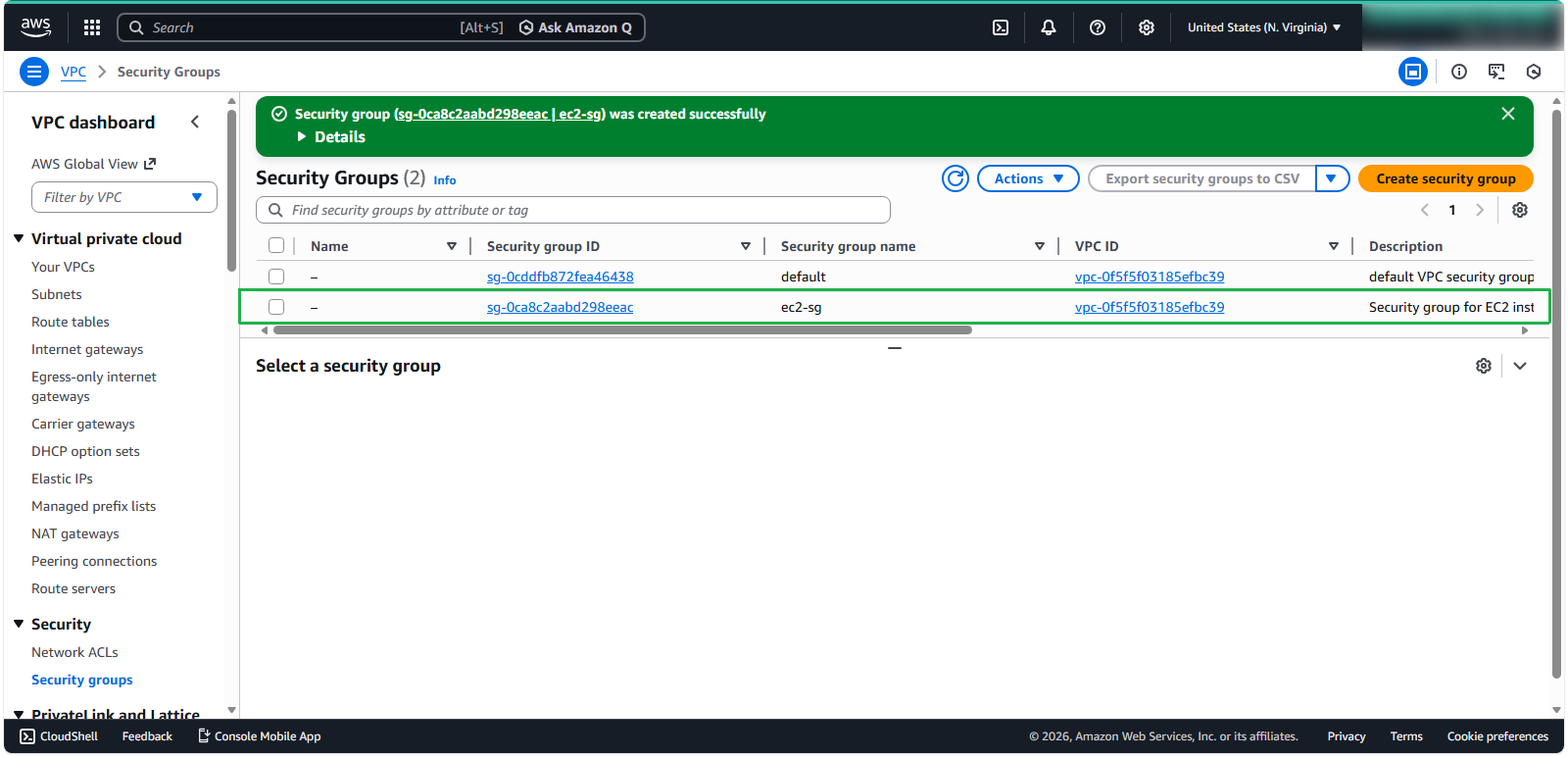
In the EC2 navigation pane, scroll down to Security section. Click Security Groups.
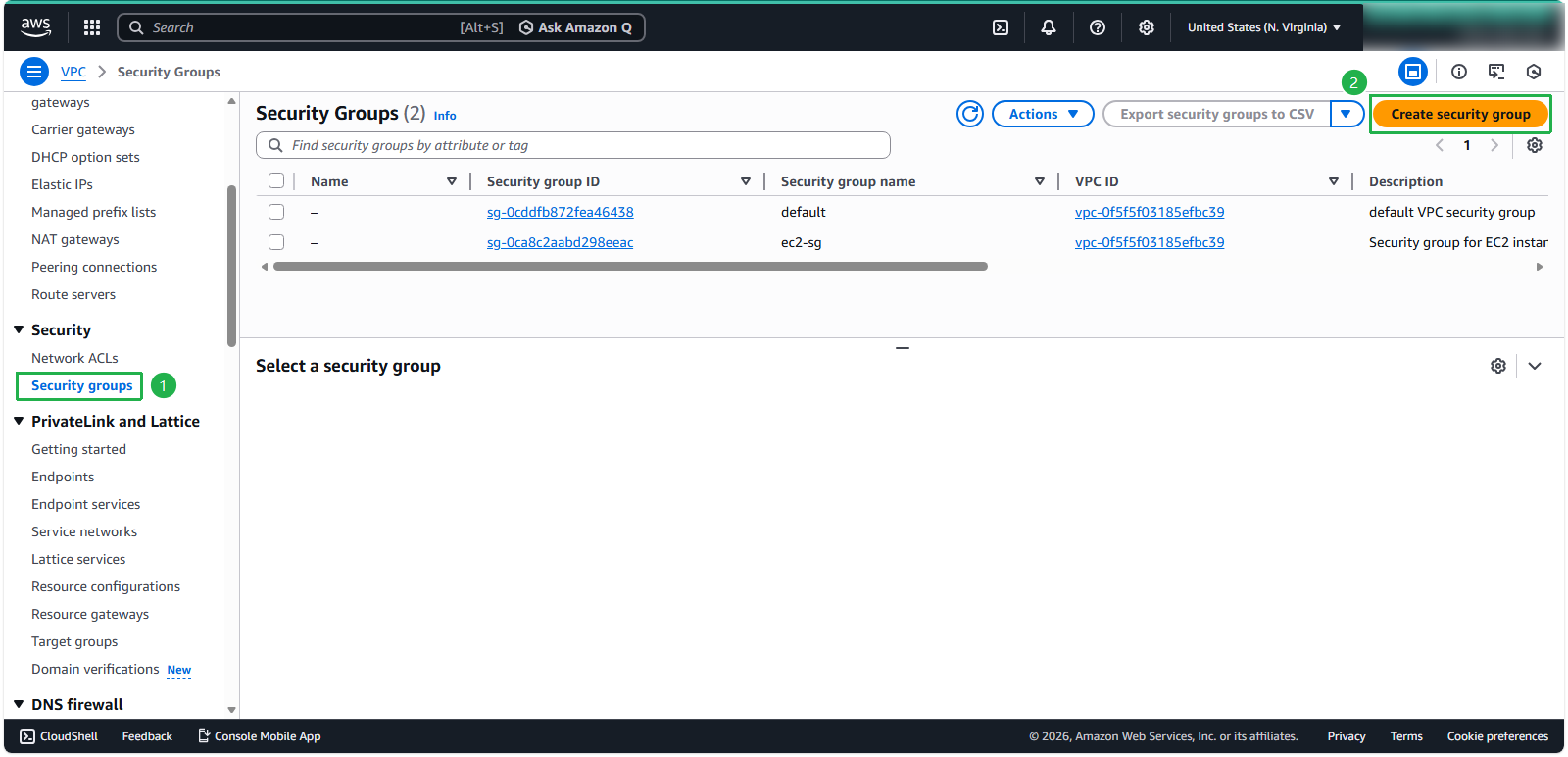
Click the Create security group button.
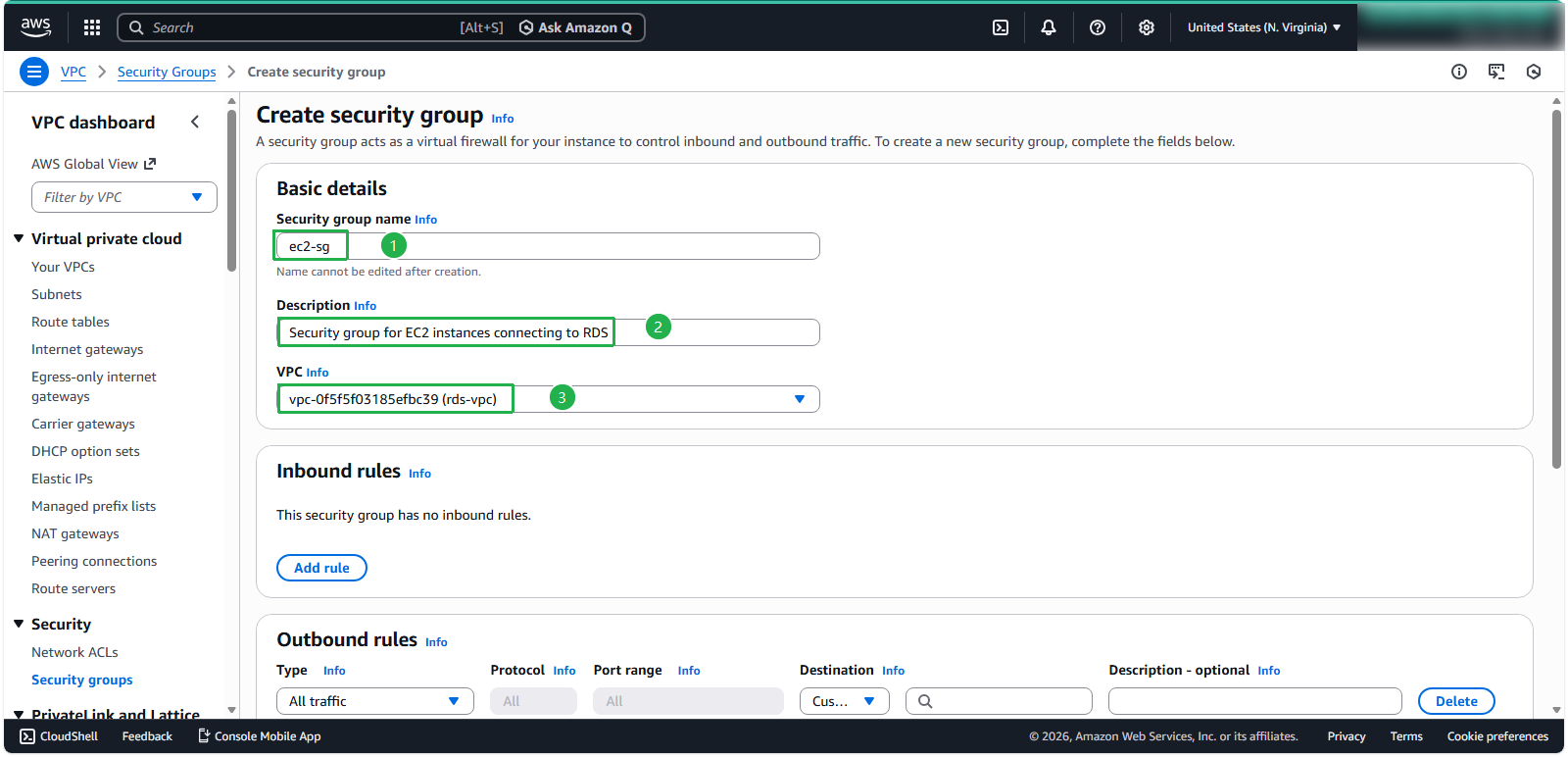
In the Basic details section:
- Security group name:
ec2-sg - Provide a meaningful Description:
Security group for EC2 instances connecting to RDS - Select your VPC you created previously
- Security group name:
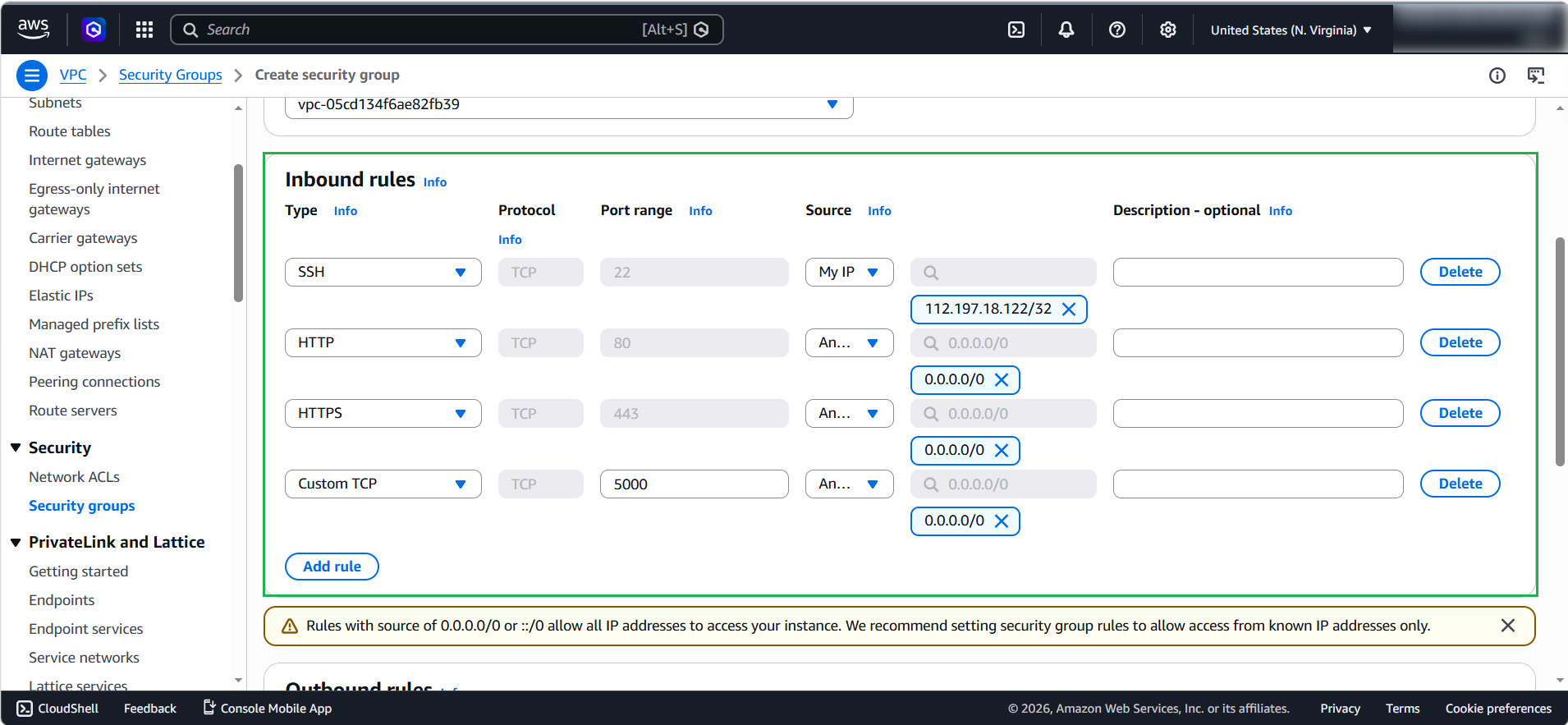
In the Inbound rules section, click Add rule to configure the following access:
- Add rule for SSH (port 22) with Source: My IP for secure administrative access
- Add rule for HTTP (port 80) with Source: Anywhere-IPv4 for web traffic
- Add rule for HTTPS (port 443) with Source: Anywhere-IPv4 for secure web traffic
- Add rule for Custom TCP (port 5000) with Source: Anywhere-IPv4 for web server
🔒 Security Note: For production environments, restrict the source IP addresses for SSH access to only trusted IP ranges rather than allowing access from anywhere (0.0.0.0/0).
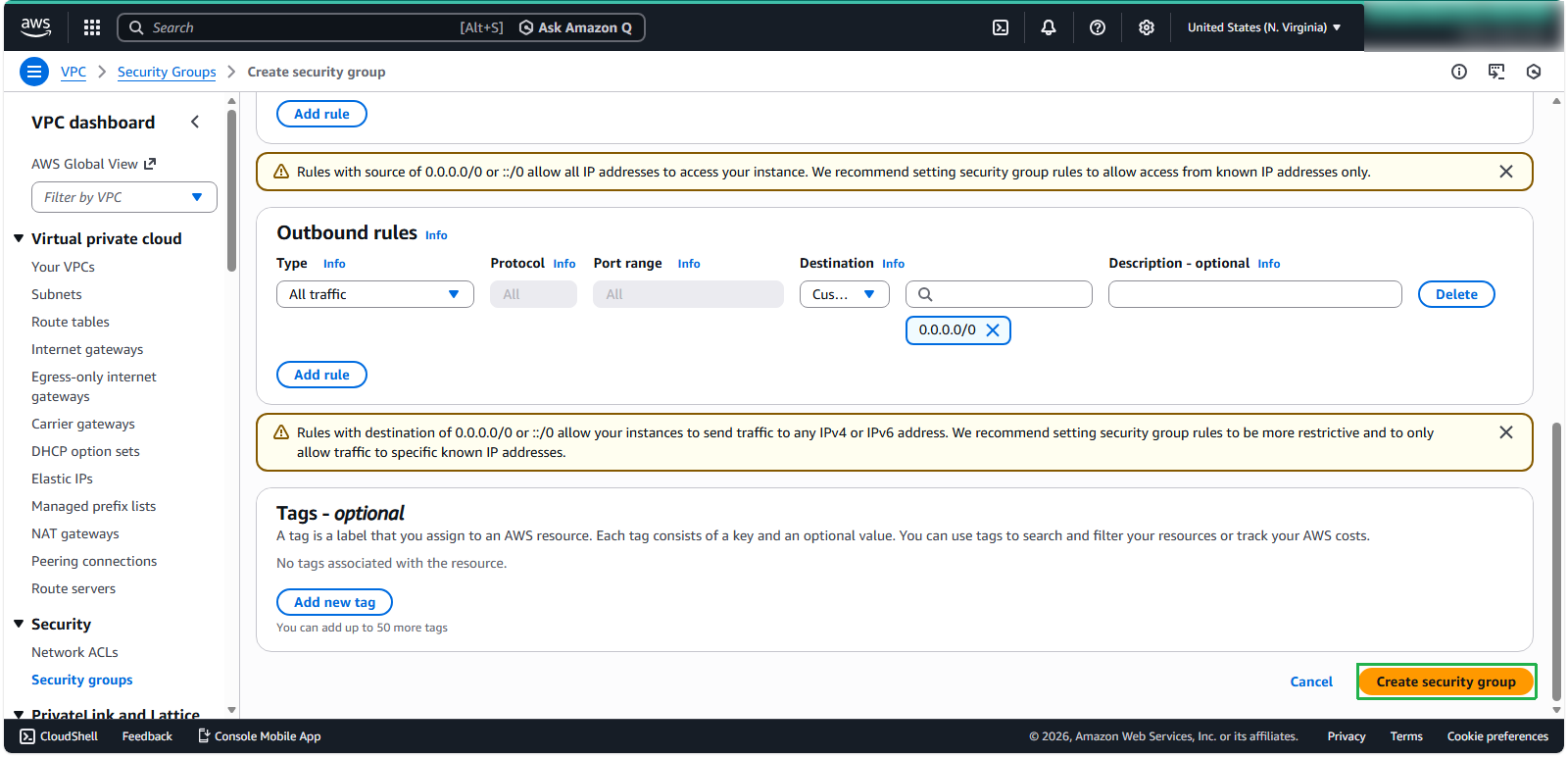
Review your settings and click Create security group.
Once created, the new security group appears in your security groups list. Note the Security Group ID as you’ll need it when launching EC2 instances.
💡 Pro Tip: You can modify security group rules at any time, and the changes take effect immediately. This allows you to adjust access controls as your application requirements evolve.
⚠️ Warning: Security groups are stateful — if you allow inbound traffic on a specific port, the corresponding outbound response traffic is automatically allowed, regardless of outbound rules.
Creating a Security Group for Amazon RDS
ℹ️ Information: Security groups act as virtual firewalls for your Amazon RDS instances, controlling inbound and outbound traffic at the instance level. Each security group contains a set of rules that filter traffic based on protocol, port, and source or destination.
Follow these steps to create a dedicated security group for your Amazon RDS database instance:
In the EC2 navigation pane, scroll down to Security section. Click Security Groups.
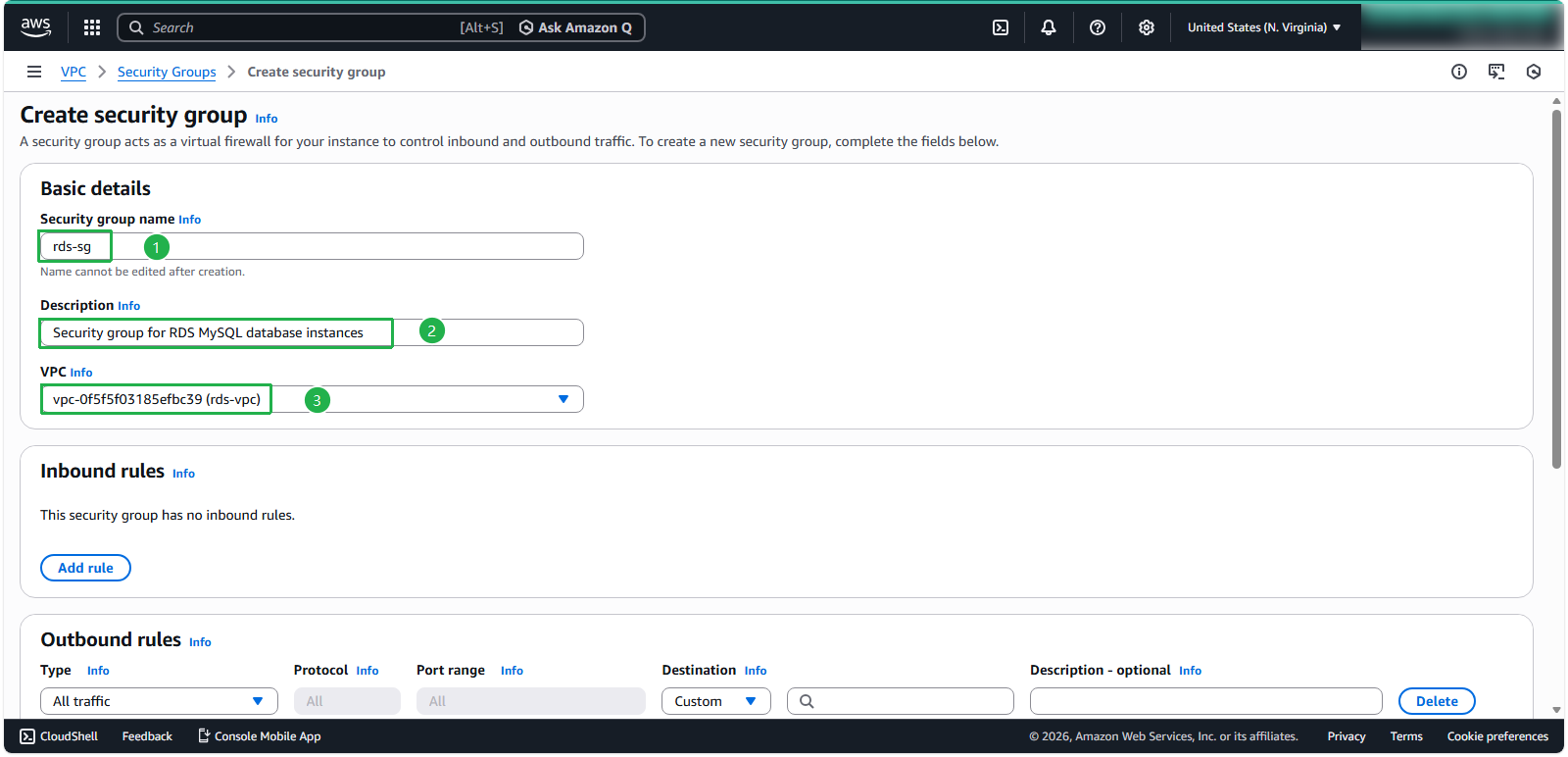
In the Basic details section:
- Security group name: enter
rds-sg - Description:
Security group for RDS MySQL database instances - Select your VPC you created previously
- Security group name: enter
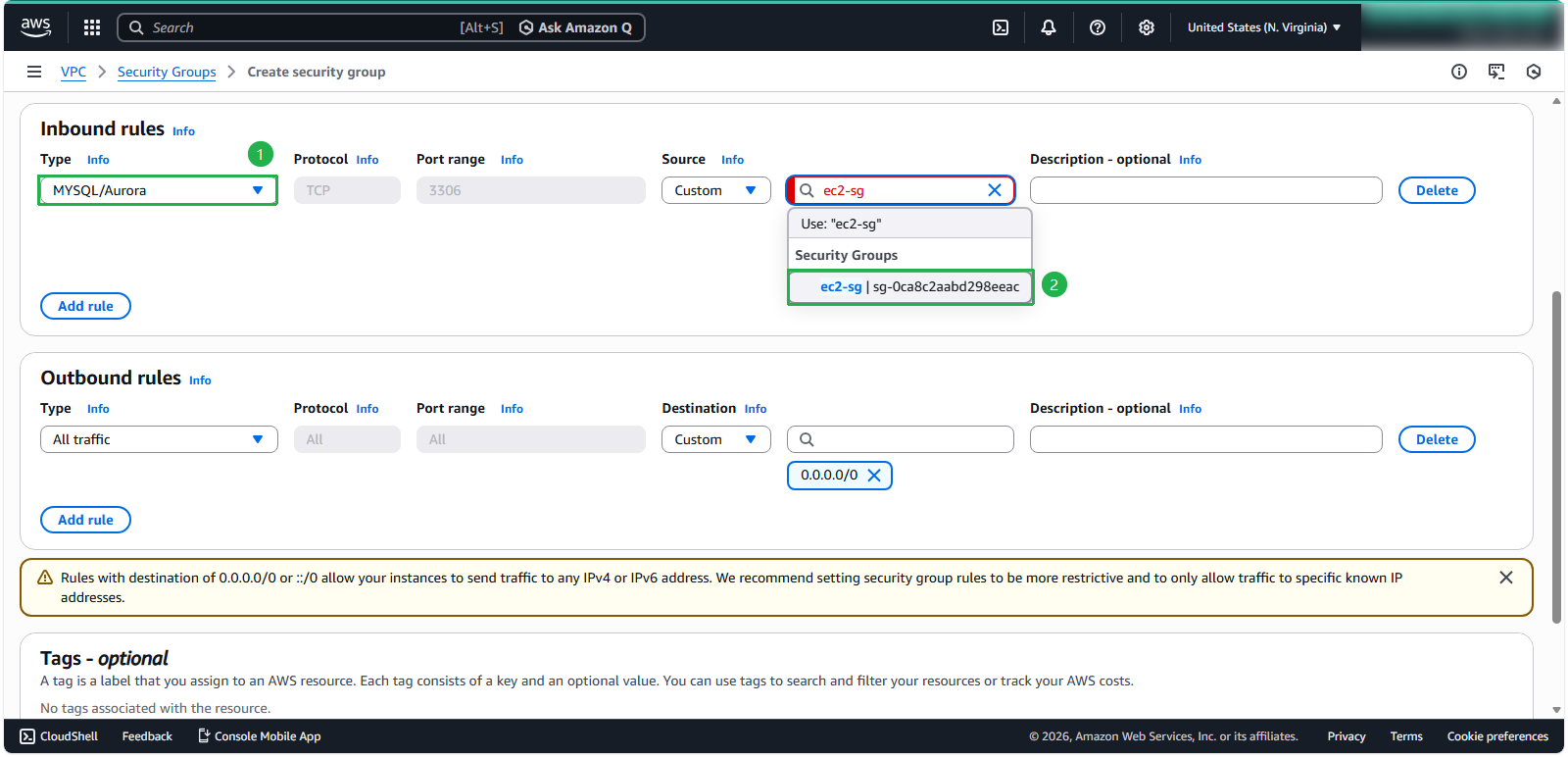
Configure Inbound rules to control which traffic sources can access your database:
- Select MySQL/Aurora from the Type dropdown
- For Source, select the security group of your EC2 instances that need to connect to the database (ec2-sg)
🔒 Security Note: Specifying the EC2 security group as the source rather than an IP range ensures only instances with that security group can connect to your database, enhancing security.
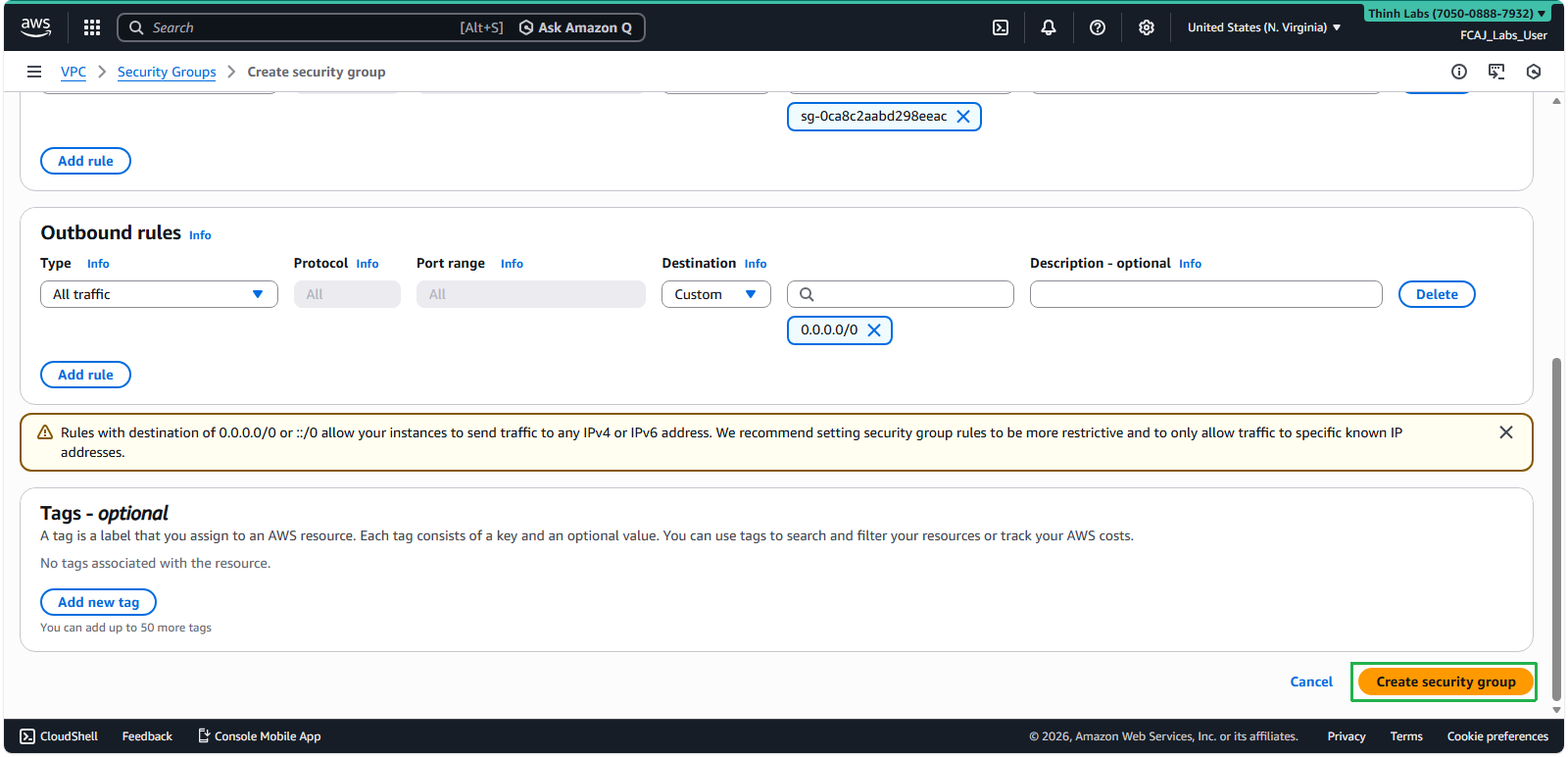
- Review your settings and click Create Security Group to complete the process.
💡 Pro Tip: You can modify security group rules at any time, and the changes take effect immediately. This allows you to adjust access controls as your application requirements evolve.
⚠️ Warning: It is a best practice to use separate security groups for your RDS instances and EC2 instances. This separation provides better security isolation and makes it easier to manage permissions for each resource type independently.
⚠️ Warning: Security groups are stateful — if you allow inbound traffic on a specific port, the corresponding outbound response traffic is automatically allowed, regardless of outbound rules.